
Carly — OBD2 car scanner
Carly Solutions GmbH & Co KGAuto & Vehicles
3.71.38K Reviews
- Version
- 49.98
- Installs
- 1.00M
- Age Rating
- Everyone
Screenshots

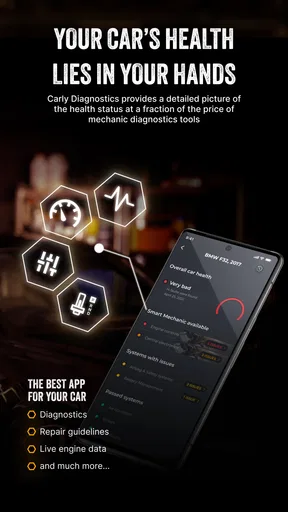
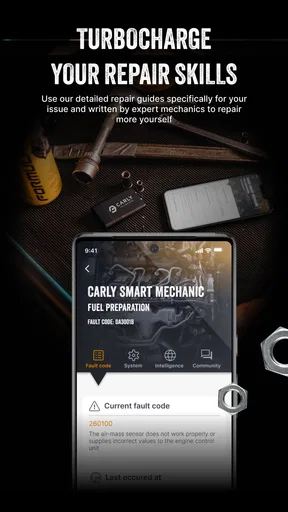
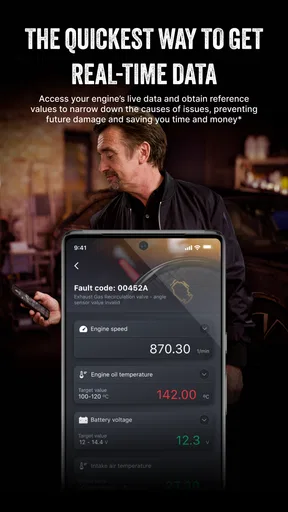
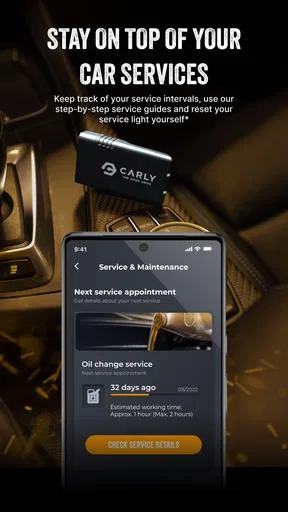

Our Review of Carly — OBD2 car scanner
 Analysis by Appyee
I tend to trust a car-diagnostic app only as far as I can check what it is asking me to do and understand what its results mean. A scan can be useful, but it is not the same as a mechanic’s inspection, and a code by itself rarely tells the whole story. Carly — OBD2 car scanner is aimed at drivers who want to look more closely at their vehicle, so I’d approach it as a tool for better questions and decisions rather than a replacement for professional judgement.
What a scan can—and cannot—settle
Reading a fault code is a helpful starting point when a warning appears, but it does not automatically identify the failed part or prove that a repair is needed. Several underlying issues can produce similar symptoms, and clearing a code may make a warning disappear without resolving its cause. I would record what the app finds, note when the warning appeared, and share that context with a qualified mechanic if the issue affects safety or drivability.
That distinction matters especially when deciding whether to keep driving. A diagnostic result can help me describe a problem more clearly, but it cannot replace the car’s manual, a physical inspection, or urgent professional help when the vehicle is behaving dangerously. The app is most useful when I treat its output as evidence to investigate, not as a final verdict.
Compatibility and the extra hardware
There is an important practical step before downloading: using the diagnostic functions described here requires a Carly OBD2 adapter, which communicates with the phone over Bluetooth. The app alone is not a complete scanner, so I would check that the adapter and the specific functions I want suit my vehicle before planning a purchase. Broad brand support is encouraging, but it is not a promise that every model, year, control unit, or coding option will work in the same way.
This is one reason Carly differs from a simple code-reader app. A basic reader may be enough if all I want is a quick look at common engine codes, while Carly’s appeal is the possibility of manufacturer-specific diagnostics and vehicle customization. That broader scope is useful only when the car is compatible and the feature is available for it; for a one-off check on an older vehicle, a borrowed or inexpensive generic scanner may be the more sensible choice.
When a little preparation saves time
Before connecting, I’d park safely, switch off the engine if the vehicle instructions call for it, and locate the diagnostic port using the car’s manual rather than forcing a connector into an uncertain socket. I’d also make sure the phone has Bluetooth enabled and keep the adapter instructions nearby. These small steps make troubleshooting a connection problem less confusing: if the app cannot communicate, I can distinguish a pairing issue from a vehicle or compatibility issue.
For a useful first scan, I would save the report before clearing anything and write down the dashboard warning, recent symptoms, and driving conditions. A warning that appears only on a cold start, for example, is useful context for a technician. Keeping that record also gives me a baseline to compare with a later scan, rather than relying on memory or assuming that a cleared code means the repair worked.
Using customization with restraint
Coding and customization are the most tempting parts for curious owners, but they deserve more caution than reading a report. A setting that sounds convenient may change how the vehicle behaves, and preferences or supported options can differ across cars. I would investigate one change at a time, understand how to reverse it, and avoid experimenting when I am unsure what a setting controls. If the car is leased, shared, or still under warranty, I’d also consider whether changing its configuration is appropriate before doing it.
That careful approach is a more realistic way to use advanced controls than treating them as harmless switches. If I only want to diagnose a warning, there is no need to explore coding at all. Keeping those tasks separate—scan first, research a proposed change, then decide whether to make it—reduces the chance of confusing a new setting with an existing vehicle problem.
Ever had one of those moments when your car’s dashboard lights up like a Christmas tree, and you have no idea what’s going on? Enter Carly — OBD2 car scanner, your new best friend in the world of car diagnostics. I recently took this app for a spin, and let me tell you, it’s like having a mechanic in your pocket.
Getting Started with Carly
First things first, let’s talk about setting it up. The app is available on both Android and iOS, and the installation is a breeze. You’ll need to grab a Carly OBD2 adapter, which pairs with your phone via Bluetooth. Once you’ve got the app and adapter, you’re all set to dive into the world of car diagnostics.
Connecting the app to my car was straightforward. The app guided me through the process, and within minutes, I was ready to start scanning. It’s worth mentioning that the interface is user-friendly, so even if you’re not a tech wizard, you’ll be navigating it like a pro in no time.
Features That Stand Out
What really sets Carly apart are the plethora of features it offers. From basic diagnostics to advanced coding, there’s something for everyone. The app lets you read fault codes, clear them, and even access manufacturer-specific codes, which is a huge plus.
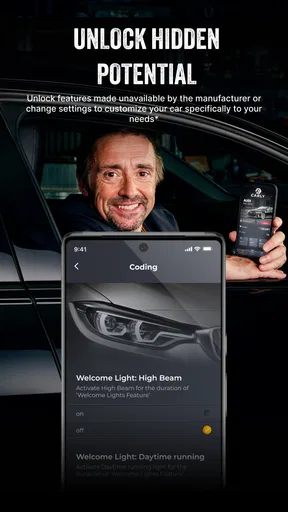
One of the coolest features is the ability to customize your car. Want to tweak the dashboard display or enable a feature that’s locked by default? Carly’s got you covered. The app supports a wide range of car brands, so there’s a good chance your vehicle is compatible.
"It’s like having a Swiss Army knife for your car, all packed into a neat little app."
For the data geeks out there, Carly provides real-time data parameters. You can monitor your car’s performance, fuel consumption, and even check for potential issues before they become serious problems. It’s a fantastic way to stay ahead of any maintenance needs.
The User Experience
Using Carly is a seamless experience. The app runs smoothly, with minimal lag, and updates are frequent enough to keep things fresh without being a hassle. I appreciate the clean design and intuitive navigation. It’s clear that usability was a priority for the developers.
One thing I found particularly useful is the app’s ability to store diagnostic reports. You can save and share these reports, which is perfect for keeping track of your car’s health or sharing with a mechanic if needed.
Who Should Get Carly?
If you’re a car enthusiast, a DIY mechanic, or just someone who wants to take charge of their vehicle’s maintenance, Carly is a no-brainer. It’s also a great tool for those who want to save on diagnostic fees at the garage. The app does have a subscription model, but considering the features and potential savings, it’s a worthwhile investment.
Parents with teenage drivers might find this particularly useful, as it allows you to keep tabs on the car’s condition and ensure it’s safe for your young driver. Plus, it’s a great learning tool for anyone interested in understanding how their car works.
Choosing the right moment to use it
A realistic use case is a warning light appearing shortly before a planned service. I could scan the car at home, save the report, and take it to the appointment with a clear description of when the light came on and what the car was doing. That does not let me diagnose every cause myself, but it can make the conversation with the garage more focused and help me ask whether the proposed work addresses the recorded fault.
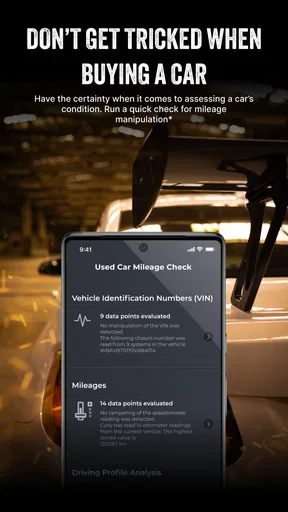
It can also be useful when considering a used car, provided I have permission to connect an adapter and the vehicle supports the checks I want to run. A scan may reveal stored issues worth asking about, but a clean result is not proof that a car has been maintained well or is mechanically sound. I would combine it with a proper inspection and service history, not use it as a shortcut around them.
For routine ownership, the strongest workflow is occasional and deliberate rather than constant monitoring. I’d keep a dated note of symptoms and saved reports, then scan again after a repair only when it makes sense. Repeatedly checking data without a specific question can create noise and worry, especially if a number varies normally with temperature, load, or driving conditions.
Costs, access, and expectations
The app is free to install, but that does not mean every useful function is included at no cost. Carly offers in-app purchases ranging from $2.74 to $118.99 per item, so I would check which capabilities are available for my vehicle and what an intended purchase covers before paying. The adapter is also part of the practical setup, making this a more involved choice than downloading a free app and scanning immediately.
That price structure makes the app a better fit for someone who expects to use its vehicle-specific tools than for a driver who needs one basic code read. If I only want occasional generic engine diagnostics, a standard reader can be simpler and may avoid paying for broader functionality I will not use. Conversely, someone who values manufacturer-specific information, saved reports, and customization may find the extra scope worthwhile—assuming their car supports the relevant features.
Carly is free to download, is rated for Everyone, and is developed by Carly Solutions GmbH & Co KG. It has an average rating of 3.6 from around 31,000 ratings, with more than 1 million installs. Those figures suggest it has reached many drivers, but they do not tell me whether a particular vehicle will work well with it; compatibility and the functions available for that car are the more useful checks for an individual buyer.
Trust, choices, and the cautious verdict
Because a diagnostic app connects to a vehicle and can offer coding, I would take a moment to review its current permission requests and the choices shown during setup. I would grant only the access needed for the task I am doing, and I would look through the app’s account and privacy controls before saving or sharing reports. I do not assume that a scan report is private simply because it is about a car: it may include details I would rather not circulate, so I’d share it intentionally and only with someone who needs it.
The app’s visible controls matter most at the point of action. Before clearing a code, changing a setting, or sharing a report, I’d pause to check what the action does and whether I can retain a record of the original state. That is a practical form of user control: keep a copy of diagnostic findings, make changes only when I understand them, and avoid treating the app’s suggestions as permission to bypass professional advice.
The current version is 49.74, and the app supports Android 8.0 or later. I would check those requirements on the phone I plan to use, then confirm vehicle compatibility before buying an adapter or paying for an in-app feature. My overall view is that Carly is most compelling for a curious owner who wants more than a generic code reader and is willing to verify each option carefully. If I simply need a quick, basic check—or want a mechanic to handle every diagnostic step—I’d choose a simpler route. Used thoughtfully, though, it can make a warning light less mysterious and help me arrive at a repair conversation better prepared.
Final Thoughts
Overall, my experience with Carly has been nothing short of impressive. It’s a powerful tool that puts car diagnostics into the hands of everyday drivers. The app is well-designed, packed with features, and offers a level of control over your vehicle that was previously reserved for professionals.
So, if you’re tired of those mysterious dashboard lights and want a deeper understanding of your car, give Carly a try. You might just find it’s the trusty sidekick you never knew you needed.
Verdict
Strengths of Carly — OBD2 car scanner
- User-friendly interface for easy navigation.
- Comprehensive diagnostics for most car models.
- Real-time data display for quick insights.
- Regular updates with new features and fixes.
- Supports multiple languages for global users.
Limitations of Carly — OBD2 car scanner
- Limited free features; subscription needed.
- Not compatible with older car models.
- Can drain battery if left connected.
- Occasional connectivity issues reported.
- Some advanced features require in-app purchases.
Similar Picks in This Category
View All
Android Auto
Google LLC4.1

maxim — order a taxi & food
PT. SITO4.7

Штрафы ГИБДД: проверка с фото
Pays LLC – Штрафы ГИБДД4.7

Номерограм – проверка авто
Авто Ассист4.8

Дром Авто
Дром4.9

Frequently Asked Questions
What is Carly — OBD2 car scanner and how does it work?
Carly — OBD2 car scanner is a comprehensive tool designed for car owners to diagnose vehicle issues and perform routine maintenance checks. It connects to your car's OBD2 port via a Bluetooth adapter, allowing you to read diagnostic trouble codes, clear fault codes, and access various car parameters. The app provides insights into your car's health and helps you avoid costly repairs by catching issues early.
Is Carly compatible with my vehicle?
Carly is compatible with most vehicles manufactured after 2001. However, compatibility can vary based on the make, model, and year of your car. Carly offers a compatibility checker on their website where you can enter your car details to verify. It's always recommended to check this before purchasing the adapter to ensure full functionality with your specific vehicle.
What features does Carly offer beyond basic diagnostics?
Beyond basic diagnostics, Carly offers a range of features including coding to customize car settings, real-time parameter monitoring, and maintenance reminders. It also allows you to perform emission tests and access manufacturer-level diagnostics for specific brands. These advanced features help improve vehicle performance and personalize your driving experience.
Is the Carly app free to use?
The Carly app requires a subscription to access its full range of features, although it offers a limited free version. The subscription provides regular updates and access to advanced diagnostics, coding, and personalization options. Additionally, users need to purchase the Carly OBD2 adapter separately, which is essential for connecting the app to your vehicle.
How secure is my data with Carly?
Carly places a strong emphasis on data security and privacy. The app uses encryption to protect your data during transmission between the app and your car. Carly does not share personal data with third parties without consent. Users can rest assured that their vehicle and personal information is handled with the utmost care and confidentiality.
